
Backup and Disaster Recovery Services in Dubai, UAE
Know how your business will recover when a system, account or location becomes unavailable. Quest Middle East provides backup and disaster recovery services in Dubai and across the UAE, connecting protected copies, recovery priorities and practical testing.
- Built in Dubai for the world
- Planned recovery
- Tested restore workflows

A Backup Job Is Only the Start of Recovery
A successful backup notification does not show whether the right information was protected, whether it can be restored or whether the application will work afterwards. Recovery also depends on access, software, connectivity and the order in which services return.
Our backup and disaster recovery services start with those dependencies and the business impact of interruption. We agree what needs protecting, the recovery objectives and a test that demonstrates the agreed process, rather than relying only on a status report.
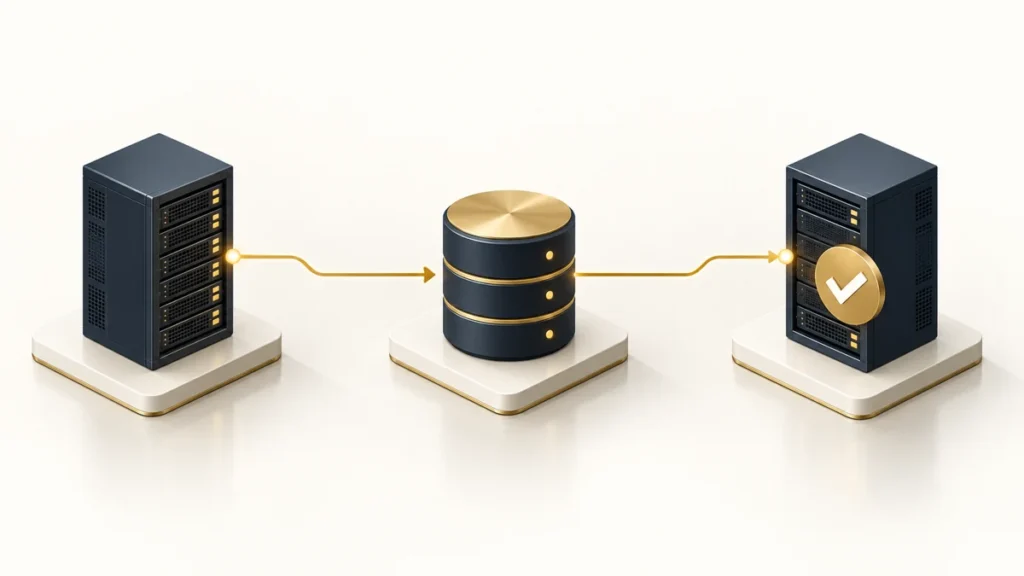
Backup as a Service: Servers, Virtual Machines and Microsoft 365
Backup as a Service brings the agreed workloads, schedules, retention and operating responsibilities into a managed scope. The design may include physical servers, virtual machines, application data and supported Microsoft 365 information, depending on the selected product and licences.
We identify what is protected, how copies are created and where they are stored. Retention, encryption, administrative access and separation from production are reviewed alongside capacity and cost. Recovery requirements should guide the backup design; choosing a frequency without understanding the workload can leave important gaps.
Servers and VMs
Review the operating systems, applications, consistency requirements and restore options. Confirm what is needed to recover a whole system versus a selected file or item.
Microsoft 365
Identify the services and information included by the selected backup product. Do not assume every tenant item, retention policy or recovery scenario is covered in the same way.
Operational Checks
Monitor the agreed backup jobs for missed runs, failures and capacity issues. Record the owner and action needed for exceptions.
Protected Administration
Review who can change or delete backup data, how access is secured and which separation or immutability options the selected platform supports.
Disaster Recovery as a Service (DRaaS)
Disaster recovery plans how the agreed services will run again after a significant interruption. It may involve a recovery environment, replication or restoration, network changes, identity dependencies and an approved decision to fail over. The available approach depends on the workloads, platforms and budget.
We map the services that depend on each other, decide what a usable recovered environment looks like and agree the activation process. Failback also matters: returning to normal operation needs validation and a clear treatment of changes made while the recovery environment was in use.
Design the Recovery Path
Identify the target environment, data movement, application dependencies and access required to activate recovery. Check capacity and licence requirements before a test or incident.
Plan Failover and Failback
Define approval, communication, validation and the route back to normal service. A recovery plan should explain more than how to start a replicated machine.
Business Continuity Planning and DR Drills
Technology recovery is one part of business continuity. Teams also need to know how work continues while a service is unavailable, which decisions have priority and how customers, staff and suppliers are informed. We coordinate the technical recovery scope with the business owners responsible for those processes.
A drill should have a defined scenario, acceptance criteria and a record of what happened. Tests can range from selected restores to a broader recovery exercise, according to the risk and scope agreed. Findings become assigned improvement actions, not a document that is filed away until the next incident.
Select a Useful Scenario
Choose an event that tests a meaningful dependency, such as a failed application server or unavailable site. Agree the boundaries so a test does not accidentally disrupt production.
Validate the Result
Check that the recovered information or application is usable by the responsible owner. Record timing, gaps and the steps needed to improve the process.
RPO and RTO: Set Objectives Around Business Impact
Recovery Point Objective describes the data-loss interval the business aims to tolerate. Recovery Time Objective describes the time within which the business aims to restore a service. These are design objectives, not automatically achieved guarantees. The complete workflow must be assessed and tested against them.
Group services by business importance rather than applying the same recovery design everywhere. A critical customer-facing application, an internal reporting system and archived records can have different requirements and costs. The proposal confirms the objectives, assumptions and validation method for each agreed group.
Business-Critical Services
Identify the interruption and data-loss tolerance with the service owner. Assess the architecture, dependencies and investment needed before confirming achievable targets.
Important Internal Services
Plan a recovery order and capacity that supports normal work returning in stages. Include access and shared services required by more than one application.
Records and Lower-Priority Workloads
Consider retention, access and item-level restore needs. Long retention alone is not a substitute for a practical retrieval process.
Measure Through Testing
Use agreed drills and restores to compare actual results with the objectives. Record limitations and improvement work rather than presenting untested targets as a proven outcome.
In-Country Data Storage and Retention
Where copies are stored, who can access them and how long they are retained should be confirmed for the selected platform and service design. UAE storage can be assessed where required, but it is not assumed for every cloud, backup product or support arrangement.
We review storage regions, suppliers, encryption, administrative access, retention and deletion requirements against the needs your organisation confirms. Business owners and the responsible compliance team should approve the relevant requirements, including any restrictions on information or access crossing locations.
Ransomware Resilience and Recovery Readiness
A recovery plan should consider the possibility that production systems or administrative accounts are compromised. Separation of backup administration, restricted permissions and supported protected-copy options can help reduce dependence on the affected environment. The appropriate design depends on the platform and risk.
Recovery after a security incident needs coordination with investigation and cleanup. Restoring a copy before understanding the compromise can reintroduce the same issue. Agree who decides a recovery point is suitable, what must be checked and when a recovered service can reconnect to normal operations.
A Recovery Service You Can Review
Inventory and Priorities
Record workloads, data owners, dependencies and recovery objectives. Identify protection gaps and the systems that must return first.
Implement and Document
Configure the agreed protection and recovery path. Document the actions, permissions and decisions required to use it.
Test and Improve
Carry out the agreed restore or drill, validate with the service owner and record results. Assign follow-up actions and keep the process current as systems change.
Price the Whole Design
Consider storage, retention, protected workloads, recovery capacity, licences and testing. The proposal separates routine operation from additional projects or wider continuity work.
Work With a Team That Understands the Whole Environment
Start With the Business Need
We confirm the systems involved, the concern you want to address and the business processes that depend on them. Recommendations should be understandable to the people who approve the work.
Define Responsibilities
The proposal names covered activities, access, operating hours, escalation and exclusions. Your IT team, application developers and other suppliers can retain clear responsibilities.
Plan Changes and Validation
Agree the implementation, approvals and acceptance checks. Changes to important services need consideration of dependencies, timing and recovery options.
Keep the Service Current
Review outstanding actions and changes in your environment. The right operating routine develops as users, applications and risks change.
Related Security Services
Backup and Disaster Recovery Services: Your Questions Answered
Are backups and disaster recovery the same thing?
Backups provide copies of information or systems. Disaster recovery defines how agreed services return, including infrastructure, applications, identity, connectivity and decision-making. A useful design connects both.
What are RPO and RTO?
RPO concerns the data-loss interval the business aims to tolerate; RTO concerns the target restoration time. Achievable objectives depend on the full design and should be assessed through agreed testing.
Can you back up Microsoft 365?
Supported Microsoft 365 services can be included through an appropriate backup product. Coverage, licensing, retention and restore capabilities are checked before confirming the scope.
Can our backup data stay in the UAE?
Storage location and access arrangements are confirmed for the selected platform and design. Share your location and retention requirements so the available options and dependencies can be assessed.
How often should we test restores?
The schedule depends on risk, change frequency, recovery objectives and the services involved. Agree a programme that includes meaningful validation and follow-up on findings, rather than only checking that a job completed.
Does replication replace backup?
Replication and backup serve different recovery needs. Replicated changes may include errors or unwanted activity. The design should consider separate copies, retention and recovery scenarios rather than treating replication as a universal substitute.
Can you guarantee recovery from ransomware?
No recovery method can promise a successful outcome in every incident. Suitable copies, protected administration, a tested process and coordinated investigation help improve readiness; the actual result depends on the event and the environment.
What affects pricing?
Workloads, data volume, retention, storage location, recovery capacity, licences, testing and operating coverage affect cost. A short inventory and business recovery priorities are useful for an initial scope.
Get in touch
Tell us about your environment, the concern you want to address and the support you need. Please do not send passwords, private keys or sensitive incident evidence.