Managed NOC Services: Network Operations Center, Dubai, UAE

Managed Network Operations Center (NOC) Services in Dubai, UAE

A Network Operations Center keeps watch over the systems your business depends on. Quest Middle East provides managed NOC services in Dubai and across the UAE, bringing 24/7 monitoring, incident escalation and clear reporting to your networks, servers and cloud infrastructure.

  • Built in Dubai for the world
  • 24/7 monitoring
  • Clear escalation
Contact Sales
Two network engineers reviewing a tablet beside a communications rack in a Dubai operations centre

Know What Needs Attention Before Work Grinds to a Halt

A connection can be available and still be too slow for your team to use. A server can respond while its storage fills up. A useful monitoring service looks beyond a green status light to the conditions that affect everyday work.

Our managed NOC services bring those signals into an agreed operating process. We identify the systems that matter, set meaningful alerts and establish who should act when something changes. Your team gets a clearer view of service health without having to watch multiple dashboards throughout the day.

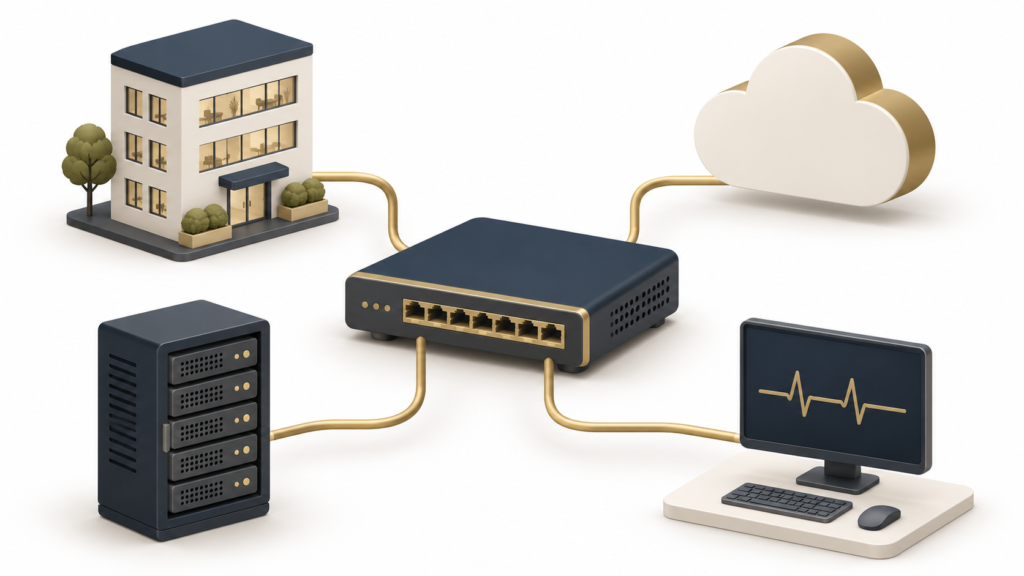
Illustration connecting an office, cloud and server to a network monitoring system

24/7 Network & Infrastructure Monitoring

Keep visibility across offices, remote sites and cloud workloads. Monitoring can cover routers, switches, firewalls, connectivity, virtual machines and business-critical services, depending on access and platform compatibility.

We track the signals relevant to your environment: availability, latency, packet loss, bandwidth, CPU, memory, storage and service checks. Thresholds are tuned to normal activity so a busy period does not create the same response as a real outage.

Monitoring coverage starts with an asset inventory and dependency map. Agreed maintenance windows, device owners and escalation contacts help turn an alert into useful action, rather than another email waiting in a shared inbox.

Discuss your monitoring needs
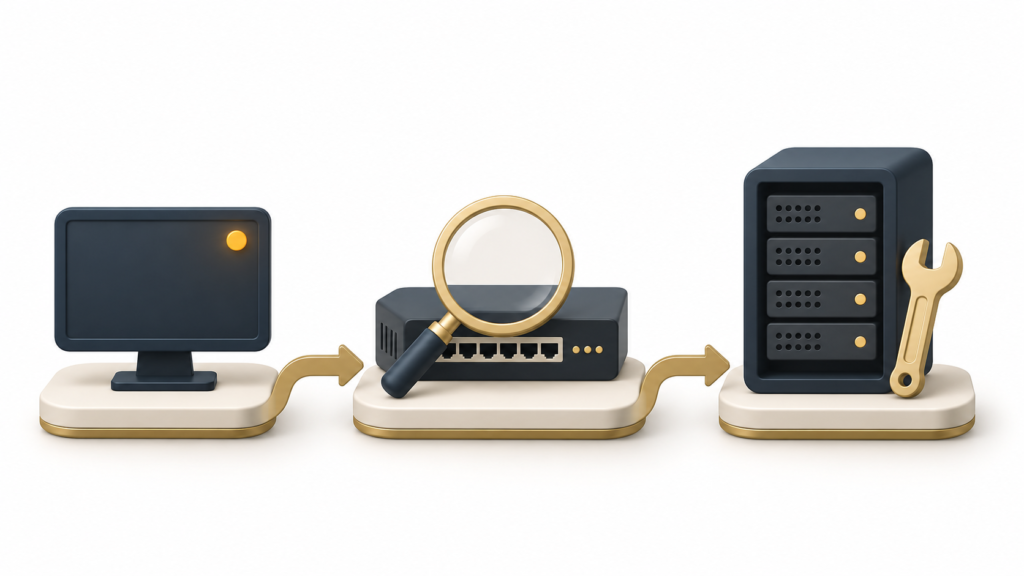
Illustration of an alert moving through network diagnosis to server repair

Incident Management & Escalation (L1–L3)

An alert needs an owner, a priority and a next step. Our NOC workflow records the affected service, checks the business impact and follows an agreed response procedure. The ticket remains the shared record as an issue moves between teams.

Level 1 validates the alert and carries out approved first checks. Level 2 investigates faults that need deeper network or system knowledge. Level 3 brings in specialist engineering or the relevant supplier when the issue requires it. The service scope defines which actions each level can perform.

We agree escalation contacts and communication expectations before an incident. Changes that could disrupt operations follow your approval process. Once service is restored, recurring incidents can be reviewed for a longer-term fix.

Discuss your monitoring needs

Backup, Patch & Configuration Monitoring

Routine tasks can fail quietly. Bring their status into the same operational view as your network, with clear ownership for exceptions and follow-up work.

Backup Job Visibility

Track the agreed backup jobs for failures, missed runs and capacity warnings where the platform exposes this information. An apparently successful backup is not proof of recovery: restore testing and disaster-recovery work need a separately agreed scope.

Patch Status and Maintenance

Review update status and exceptions for covered systems. Identify overdue work, unsupported versions or failed deployments and route them to the responsible team. Applying patches, reboots and compatibility testing are agreed explicitly rather than assumed.

Configuration Changes

Monitor supported configuration changes and compare them with the approved baseline where tooling allows. Unexpected changes are flagged for review; authorised changes are recorded so the team has context when investigating a new fault.

Clear Boundaries for Remediation

Monitoring identifies what needs attention. Administration changes need the appropriate access, approval and service coverage. Combine NOC monitoring with server management services when you need ongoing hands-on server care.

Reporting & SLAs

Reporting should help you make decisions, not simply count alerts. Agree the services to measure, the reporting period and how planned maintenance is treated. Your service agreement defines coverage, incident priorities, initial response targets, escalation and update frequency.

Availability and Performance

Review service availability, interruptions and performance trends against the agreed baseline. Look at which sites or systems experienced problems and how those problems affected work.

Incident Follow-Through

Track incident volumes, initial response, time to restore service and outstanding actions. Response time and resolution time measure different things; a quick acknowledgement does not mean the underlying fault has been fixed.

Capacity and Recurring Issues

Identify sustained bandwidth pressure, storage growth and repeated faults. Use the findings to prioritise changes and budget for capacity before an existing limit becomes urgent.

An Actionable Service Review

Give each improvement a priority, an owner and a next step. Review exclusions and supplier dependencies alongside the results so the report reflects the service actually delivered.

What a Useful Report Might Show

For example, repeated packet loss at one branch could be recorded with the affected connection, incident history, supplier ticket and next action. This is an illustrative reporting example, not a customer result. The report format and service targets are agreed for your environment.

Monitoring Tools: Zabbix, PRTG and SolarWinds

The right monitoring setup should fit the environment you have. We review existing tools, licences, device support and access before recommending whether to retain, extend or replace a platform. Tool names below describe options to assess, not a requirement to purchase all three.

Zabbix Monitoring

Consider Zabbix for centralised monitoring of supported network devices, servers and services. Review templates, agents or agentless checks, alert rules and the resources needed to operate the monitoring platform.

PRTG Monitoring

Assess PRTG sensors against the devices and services you need to observe. Sensor selection, polling intervals and alert thresholds should match the operational questions you want the monitoring system to answer.

SolarWinds Monitoring

Review the installed SolarWinds products and licences, supported devices and monitoring configuration. The exact coverage depends on the modules in place; it should be mapped before making service commitments.

Keep Ownership and Access Clear

Agree who owns the monitoring account, stored telemetry, notification routes and platform maintenance. Secure access and sensible retention settings help keep the monitoring service manageable as your environment grows.

NOC vs SOC: Availability and Security Need Different Workflows

A Network Operations Center focuses on keeping technology available and performing as expected. A Security Operations Center focuses on detecting, investigating and responding to potential security threats. They can share information, but one does not replace the other.

The NOC Looks at Service Health

Examples include a failed connection, a full disk, high latency or an application service that stops responding. The goal is to understand the operational impact and coordinate restoration of the affected service.

The SOC Looks at Security Signals

Examples include suspicious sign-ins, malware alerts or unusual activity that may indicate compromise. Security investigation and containment require their own expertise, access and response procedures.

A sudden traffic spike could require both teams. A clear handover helps avoid treating a security incident as an ordinary performance problem. Ask us about the right combination of operational monitoring and security coverage for your business.

From Scattered Alerts to a Clear Operating Routine

1. Map the Environment

List the locations, devices, cloud services and important applications. Identify service owners, access requirements and business priorities. This establishes what the NOC is responsible for watching.

2. Connect and Test

Configure the agreed monitoring checks and notification routes. Test that alerts reach the right team and that loss of monitoring connectivity is itself visible. Confirm access and escalation before handover.

3. Establish the Baseline

Observe normal activity, review thresholds and account for scheduled maintenance. Agree which events require immediate attention and which can wait for a planned review.

4. Review and Improve

Use incidents and performance trends to adjust the service. Keep the inventory and contact list current as sites, devices and applications change. Add coverage through an agreed change process.

Built Around How Your Business Operates

Multiple Offices and Branches

Bring site connectivity and infrastructure health into a consistent view. Identify whether an issue is isolated to one location or shared across the business, then route it to the relevant owner.

Cloud and Hybrid Infrastructure

Monitor the agreed connections and services across cloud and on-premises systems. Pair the service with managed cloud services where you also need cloud administration.

Lean Internal IT Teams

Add structured monitoring and escalation around your existing team. Agree which tasks Quest handles, which remain internal and when external suppliers need to join the investigation.

Customer-Facing Applications

Watch the infrastructure and service checks behind important applications. For release-related issues, coordinate with your developers or DevOps team so operational findings inform the next change.

A Monitoring Plan With a Clear Scope

Start with the services you cannot afford to lose sight of. We can scope a focused monitoring rollout or a wider managed NOC arrangement around your sites, infrastructure and internal team. The proposal sets out asset coverage, operating responsibilities, tooling and escalation.

Pricing depends on the number and type of monitored assets, locations, integration work, required response coverage and platform licences. Share a short inventory and your priorities for a tailored quote. Monitoring does not guarantee uninterrupted service, and supplier repairs or application changes may require separate work.

Discuss Your NOC Requirements

Managed NOC Services: Your Questions Answered

What are managed NOC services?

Managed NOC services provide an organised way to monitor network and infrastructure health, validate alerts and coordinate incident escalation. NOC means Network Operations Center in this context. The service covers the systems, checks and response responsibilities agreed in your plan.

Do you offer managed NOC services in Dubai and across the UAE?

Yes. Quest Middle East scopes managed NOC services for businesses in Dubai and across the UAE. Share your locations, infrastructure and support requirements so we can confirm the monitoring approach and any local access or supplier dependencies.

Does 24/7 monitoring include every repair?

No. Round-the-clock monitoring describes observation and alert handling for the agreed systems. Remediation, on-site visits, replacement hardware, application fixes and supplier work must be defined in the proposal. Your agreement also sets the response commitments.

Can you use the monitoring tools we already have?

We start by reviewing your existing platform, licences, configuration and coverage. Zabbix, PRTG and SolarWinds can be considered according to the environment. Compatibility and access are checked before confirming integration.

What is the difference between L1, L2 and L3 support?

L1 typically validates the alert and performs approved initial checks. L2 handles deeper technical investigation. L3 involves specialist engineering or a vendor where needed. The exact division of responsibilities and access is documented for your service.

Will NOC monitoring replace our IT team or security service?

It can support your IT team with visibility and an agreed escalation process. It does not automatically replace server administration, application development or a Security Operations Center. Those services have different responsibilities and should work together.

How are service levels and response times agreed?

The proposal defines covered systems, incident priorities, support coverage and initial response targets. It also specifies escalation and communication expectations. Resolution depends on the fault and any supplier or application dependencies.

How long does onboarding take?

It depends on the asset inventory, network access, existing tools and integration work. After discovery, we agree a rollout plan with connection checks, alert testing and a handover. We do not assume every environment can go live on the same timetable.

What should we share to request a quote?

Provide the approximate number of sites, network devices, servers and cloud services, plus the tools already used and your main concerns. A short inventory is enough to start. Do not send passwords, private keys or administrator credentials through the enquiry form.


Get in touch

Tell us about your sites, network devices, servers and current monitoring tools. Share the issues you want to solve and the coverage you need so we can recommend a practical NOC scope. Please do not include passwords or access keys.

© 2026 Quest Middle East. All Rights Reserved.